Oct 6, 2026Blog
AMOLED vs LCD for Smartwatch Programs: A Display Comparison
Compare AMOLED and LCD smartwatch displays on readability, power behavior, and program fit to set a display direction before your next quote round.
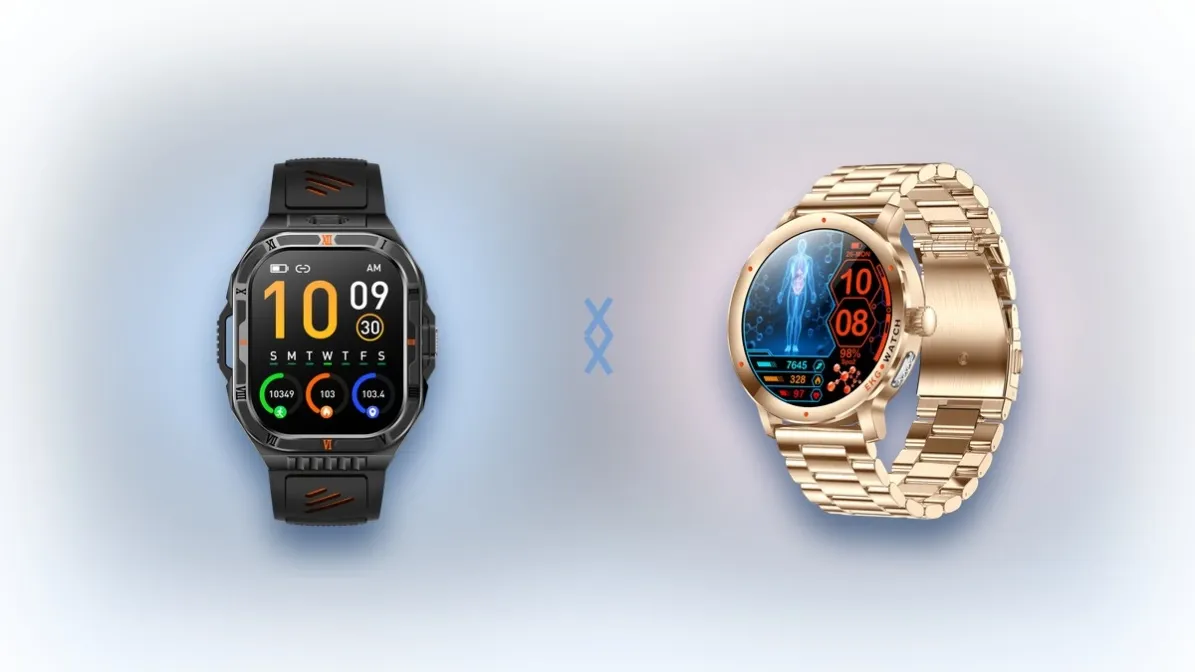
AMOLED and LCD smartwatch displays differ in three ways that matter at configuration stage: outdoor readability, power behavior, and fit with your product program. AMOLED typically brings deeper blacks and stronger contrast; LCD typically holds a lower cost tier for high-volume builds. If you are the product owner defining the configuration for your first or next private-label smartwatch, this page helps you set a display direction before commercial terms come up. If you are sourcing a single replacement panel or arranging a repair, this page is not for you. Panel models and suppliers vary by project, so nothing here reports commercial terms or promises performance. This page is a demonstration draft prepared for site review and is an illustrative example, not real published content. Set the display direction before the first configuration round, and every later conversation has a stable anchor.
Why the display is a program decision, not a spec footnote
The display line looks small on a configuration sheet, yet it sits upstream of nearly every other choice you will confirm on this project, from the watch faces you can offer to how the battery section of the specification reads. The six sentences below trace where you stand, what forced this decision onto your desk, and what a disciplined decision looks like before the first sample is ever made.
- You are the product owner who sets the configuration for a private-label smartwatch, which means the display line you confirm will define the front face of your brand for the entire life of the model, and you cannot delegate that judgment to a supplier's default.
- The trigger is concrete: a supplier asks you to confirm the display configuration before responding with commercial terms, and that single line quietly shapes the look, the battery behavior, and the tier of the entire device.
- The evidence gap is that most introductions to the two panel families describe screens in isolation, with brightness talk and technology talk but no program context, so nothing in them maps onto your specific use case or your channel.
- The rework pattern shows up when the display choice flips back and forth between configuration rounds, each flip resets other lines of the specification, and the first physical sample still looks different from what the team expected.
- The consequence is that the final display choice may end up misaligned with outdoor readability needs or with the budget expectations the program carries, and both failures tend to surface only after samples exist.
- The decision, therefore, is to map the trade-offs clearly on five dimensions first, then set the display direction by program type, and write the direction down before the next round.
Once the display direction is set wrong, every later sample round pays for it.
AMOLED and LCD compared on five program dimensions
A direction is only as good as the trade-offs behind it, so the comparison below runs the two panel families through five dimensions that recur in almost every smartwatch program, from a basic notification watch to a full navigation build. Read the table row by row rather than cell by cell, because each row answers a different question your stakeholders will eventually ask. Five dimensions together decide the direction, and any single cell read in isolation results in a misjudgment.
Dimension | AMOLED | LCD |
|---|---|---|
Contrast and black levels | Each pixel emits its own light, so blacks typically read deeper, dark watch faces typically look richer, and dark-scene content carries more visual depth. | The backlight stays lit behind the image, so blacks typically read as dark gray rather than true black, and dark backgrounds look slightly washed by comparison. |
Outdoor readability | High brightness combined with per-pixel contrast typically holds up better in outdoor light, which matters the moment a user glances at the wrist on a sunny street. | Results depend on backlight brightness and on how much ambient light the cover design picks up, so outdoor performance varies more from build to build. |
Power behavior | Self-emissive pixels typically favor dark interfaces, while an always-on watch face becomes a genuine power trade-off that has to be weighed at configuration stage. | The backlight draws power continuously whenever the screen is lit, regardless of whether the content is bright or dark, so the display's share of the power budget stays comparatively steady. |
Typical cost tier | Typically positioned higher within a supplier's display options, which is why it tends to appear on flagship-leaning configurations. | Typically positioned lower within a supplier's display options, which is why it tends to anchor volume configurations. |
Program fit | Typically the common pairing for outdoor, health-focused, and flagship-look positioning, where contrast and glance quality do selling work. | Typically the common choice for cost-sensitive, high-volume configurations, where the commercial target dominates the trade. |
AMOLED is listed across several series on the iWearable site, which makes it a baseline configuration for comparison. The product pages list AMOLED screens on multiple models, including the full-round Bluetooth-calling watch SW-KC88, the ChatGPT voice watch SW-KC98, the SUS304 CNC ultra-thin T8 series, and the dual-band GPS watches SW-X2 and SW-X5. Treat those listings as reference points rather than recommendations: they show which direction the factory already builds around, which shortens the path from your chosen direction to a realistic configuration, and they give you named models to point at when you describe your intent. Confirm the current listing text when you assemble your worksheet, because product pages are updated as hardware revisions move through the lineup.
Which direction fits which program
Program type determines which dimension carries the most weight. Most private-label smartwatch projects fall into one of three shapes, and once you know which row of the table governs your shape, the direction usually stops being a coin flip.
If your program lives outdoors, such as running, cycling, hiking, or any GPS-based use case, daylight readability carries the heaviest weight in the trade. A screen that washes out on a sunny street fails the user at exactly the moment the product promises value, and no strap material or styling choice recovers that failure. On the five dimensions above, this program weights outdoor readability first, contrast second, and cost tier last, because the outdoor promise is the reason the product gets picked up in the first place. That weighting is why AMOLED is typically the common direction for outdoor and GPS-based builds, and why dual-band GPS models in the lineup are natural references for this shape.
If the program is built to win on cost, such as a retail brand's volume line or a first model that has to hit an aggressive commercial target, the cost tier row moves to the top of the trade. In that setting, the contrast and power behavior differences of LCD may be entirely reasonable concessions, because the room they leave in the budget can fund a better strap, a better sensor package, or simply a safer commercial position across the whole build. The discipline is to accept that trade deliberately and in writing, so the concession stays a decision rather than something the team discovers on the first sample.
If the program sells health monitoring and the watch face is part of the pitch, the display works even when the wrist is still. An always-on face, glanceable metrics, and a premium dark aesthetic often influence teams toward AMOLED, because self-emissive pixels keep the face visible and rich between interactions, and that idle-state look does brand work every hour the watch is worn. The power cost of any always-on behavior belongs in your sample-round check rather than in an assumption, since it depends on how the face is designed and how the firmware manages it.
Boundaries
This page stays deliberately general, and the limits below are part of the method rather than fine print. Panel specifics and production batches vary by project, and what you see on a physical sample is the final word. Specific panel designations, suppliers, and batch characteristics are settled per project and are not named on this page, which also reports no commercial terms and promises no measured performance figures of any kind. Written specifications and a physical sample viewed under lighting close to your users' real environment will settle the question in a way no comparison table can, so plan the sample check before you commit emotionally to a direction. If anything on this page appears to conflict with a written specification from a supplier, the written specification and the sample take precedence, in that sequence.
Note your display direction on the worksheet
Note your display direction below before the next configuration round. The worksheet is five fields long on purpose; a decision framework you will not actually fill in is decoration, so keep the fields short and write them in your own words.
- Program type
- Display direction
- Key trade-off accepted
- Sample-round check
- Review date
Program type is the program shape from the previous section, named in one phrase. Display direction is the panel family you are leaning toward, AMOLED or LCD, with no hedging. Key trade-off accepted is the row of the table you are deliberately conceding, stated so a colleague could challenge it. Sample-round check is the one thing you will look for on the first physical sample to confirm the direction holds under real light and on a real wrist. Review date is the moment you will revisit the decision if the sample check fails.
This page collects no data and makes no reply promise; the worksheet and the template below exist for your own records, and your conclusions stay local to you, not in any form on this site. This page is maintained by the iWearable content team, and if you want the factory's view on the direction you noted, the channel is your own email or WhatsApp, used on your own schedule.
Copyable message template:
>
Hi iWearable, I am configuring a private-label smartwatch. My program type: [fill]. My display direction: [fill]. My sample-round check for the display: [fill].
Keep the completed line in your own worksheet file, and carry it into the first configuration conversation with the factory so the discussion starts from your direction rather than from a default.